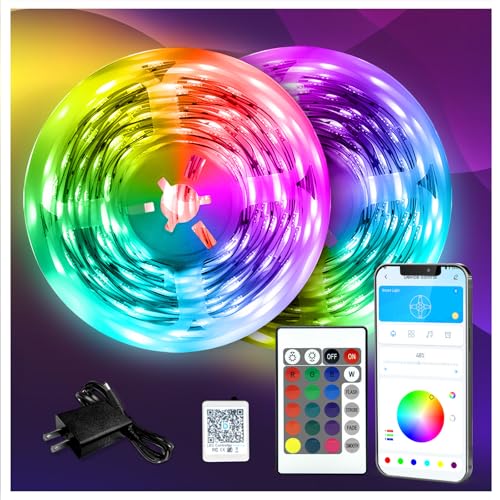
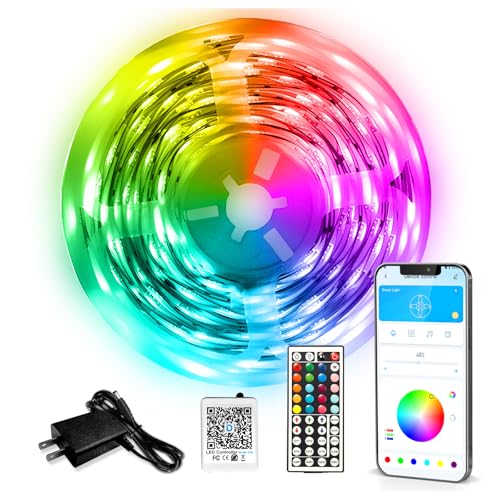
Daybetter LED Strip Lights: every model reviewed, plus setup, cutting and app help
Daybetter sells more than one "LED strip" - there is a basic remote-only strip, an app-controlled room kit, a voice-enabled smart strip, a music-sync strip and a 100ft long run, and they are not interchangeable. This guide puts all five side by side, then answers the questions people actually search after buying: how to set up the app, whether you can cut the strip, and what to do when the remote stops responding.
The Daybetter lineup at a glance
Pick by the job first, not by the picture on the box. If you want voice control, the Smart LED is the one. If you are lining a long ceiling or a basement, the 100ft kit saves you buying two boxes. If you just want colour behind a TV with a physical remote and no phone, the 50ft Basic is enough. The table sorts the range so you can match a model to a room in one pass.
Short version: Smart LED for voice and app, 100ft for long runs, 50ft Basic for a no-app remote setup, Room LED for the cheapest RGB ambience, Music Sync if a reactive beat is the whole point.
Every model, reviewed
Each card links to our full hands-on review with the longer notes on adhesive, brightness and app behaviour. Prices change constantly on Amazon, so we do not print them here - tap through for the current listing.
As an Amazon Associate we earn from qualifying purchases. We buy our test units at retail.
How to choose: length, brightness and colour
Three decisions cover almost every buyer: how long a run you need, how bright it has to be, and what colour of white you want when the RGB is off-duty. Get these right and the model choice mostly follows.
How much strip a room usually needs
Desk or monitor back10-16 ft
TV / entertainment unit16-24 ft
Bedroom ceiling perimeter32-50 ft
Living room perimeter40-60 ft
Basement or garage room60-100 ft
Typical footage ranges to plan by. Measure the actual run before buying and add ~10% for corners and the gap near the power outlet. A single 50ft Daybetter run covers most bedrooms; ceilings and open-plan rooms are where the 100ft kit earns its place.
Length is the one people underestimate. A strip that looks long on the reel disappears fast once it turns three corners of a ceiling. Measure the real path, not the wall length, and leave slack near the outlet so the controller is not stretched. Daybetter strips are sold in fixed lengths, so it is usually cheaper to buy one longer kit than to chain two short ones with a join that can dim the far end.
Color temperature, from warm to daylight
2700K warm3500K4500K neutral5500K6500K daylight
Daybetter RGB strips mix red, green and blue to approximate these whites. For bedrooms most people settle around 2700-3500K; for a desk or workspace 4500-5500K reads cleaner. This scale is a general lighting reference, not a measurement of a specific unit.
Colour temperature matters more than the 16-million-colour marketing. Most of the time these strips are used as soft white or a single accent colour, not a rainbow. For a bedroom, a warm 2700-3500K white is easier to live with; for a desk or kitchen, a neutral 4500-5500K reads cleaner and truer. All the app models can approximate these whites; the Basic remote model is more limited in its white balance, which is worth knowing if white light is your main use.
How much feedback each model has on Amazon
Smart LED Strip Lights30,000+
100ft Smart LED Strip Lights50,000+
LED Strip Lights 50ft40,000+
LED Lights for Rooms25,000+
Music Sync LED Lights15,000+
Approximate Amazon review counts at the time of writing (rounded). More reviews is not the same as better, but it shows which models are widely used and where problems would surface. Ratings across the lineup sit between 4.3 and 4.5 out of 5.
Brightness is hard to judge from a listing. In practice the differences across the Daybetter range are smaller than the marketing suggests - they are ambient and accent strips, not room lighting. If you need a space genuinely lit, layer the strip with a lamp rather than expecting the LED tape to do it alone.
Setting up the Daybetter app
The app trips people up more than the hardware. Search interest around "Daybetter app not working" is steady, and the causes are almost always the same handful of things. The app-controlled models (Smart LED, Room LED, Music Sync, 100ft) pair over 2.4GHz Wi-Fi - not 5GHz. If your phone is on a 5GHz band, or you have a combined network that hands out 5GHz first, pairing fails silently. Split the band or force 2.4GHz for setup.
The reliable sequence is: plug the controller in, open the Daybetter app, allow it Bluetooth and location permission (Android uses location to scan for the device), then add the device while standing next to it. If it will not appear, hold the controller reset until the strip flashes, and try again on 2.4GHz. Our full walkthrough with screenshots lives in the Daybetter app guide, including Alexa and Google Home linking.
If only voice control is broken but the app works, re-link the skill in Alexa or Google Home rather than re-pairing the strip - the two connections are separate.
Can you cut Daybetter LED strips?
Yes, on the models designed for it, and only at the marked points. Look for the copper dots or a little scissor icon printed on the strip - on the 50ft Basic that is roughly every three LEDs. Cut across the line with sharp scissors, never between marks, or you break the circuit for the rest of that segment. The piece you cut off is dead unless you add a connector; the piece still attached to the controller keeps working.
Two cautions. First, you cannot cut a strip longer - trimming shortens it, it does not add length, so measure before you cut. Second, on the 100ft kit the two 50ft segments are joined by a powered connector; cutting is fine within a segment, but do not cut through the join. If you need corners rather than a shorter run, use clip-on corner connectors instead of cutting and re-soldering.
Remote and troubleshooting
When the IR remote stops working, it is usually line-of-sight or the battery, not a dead strip. The Basic model's receiver is a small window on the controller - it has to see the remote, so a remote aimed at the strip itself, or hidden behind a TV, often does nothing. Pull the plastic battery tab on a new unit, point at the controller's receiver, and stay within a few metres.
If a colour button does nothing but others work, the strip may be mid-fade or in a mode that locks colour; press the solid-on button first. If the whole strip is dead, check the join between the strip and the controller and the controller and the adapter - these push-fit connectors loosen, and a half-seated connector is the single most common "it just stopped" cause. For app models, a strip that responds to the remote but not the app is a network problem, not a hardware fault - see the app section above.
Daybetter vs Govee, briefly
The most common cross-shop is Govee. In short: Govee tends to win on app polish, effects and ecosystem, while Daybetter competes on price and simplicity for the same basic job. If you want the deepest scene library and do not mind paying for it, Govee is the safer pick; if you want colour on a wall for less and can live with a plainer app, Daybetter holds up. We put the two head to head, model for model, in Daybetter vs Govee.
How we test, and a note on links
We buy the Daybetter strips ourselves at retail, run them in real rooms, and judge them on brightness, colour accuracy, adhesive hold over weeks, app reliability and sync accuracy. We do not accept free product from Daybetter, and we are not affiliated with the brand. The Amazon links on this page are affiliate links: if you buy through them we may earn a commission at no extra cost to you, and it never changes which model we recommend. Ratings and review counts shown here come from Amazon at the time of writing and move over time.